Platform · Compliance
Controls that prove themselves.
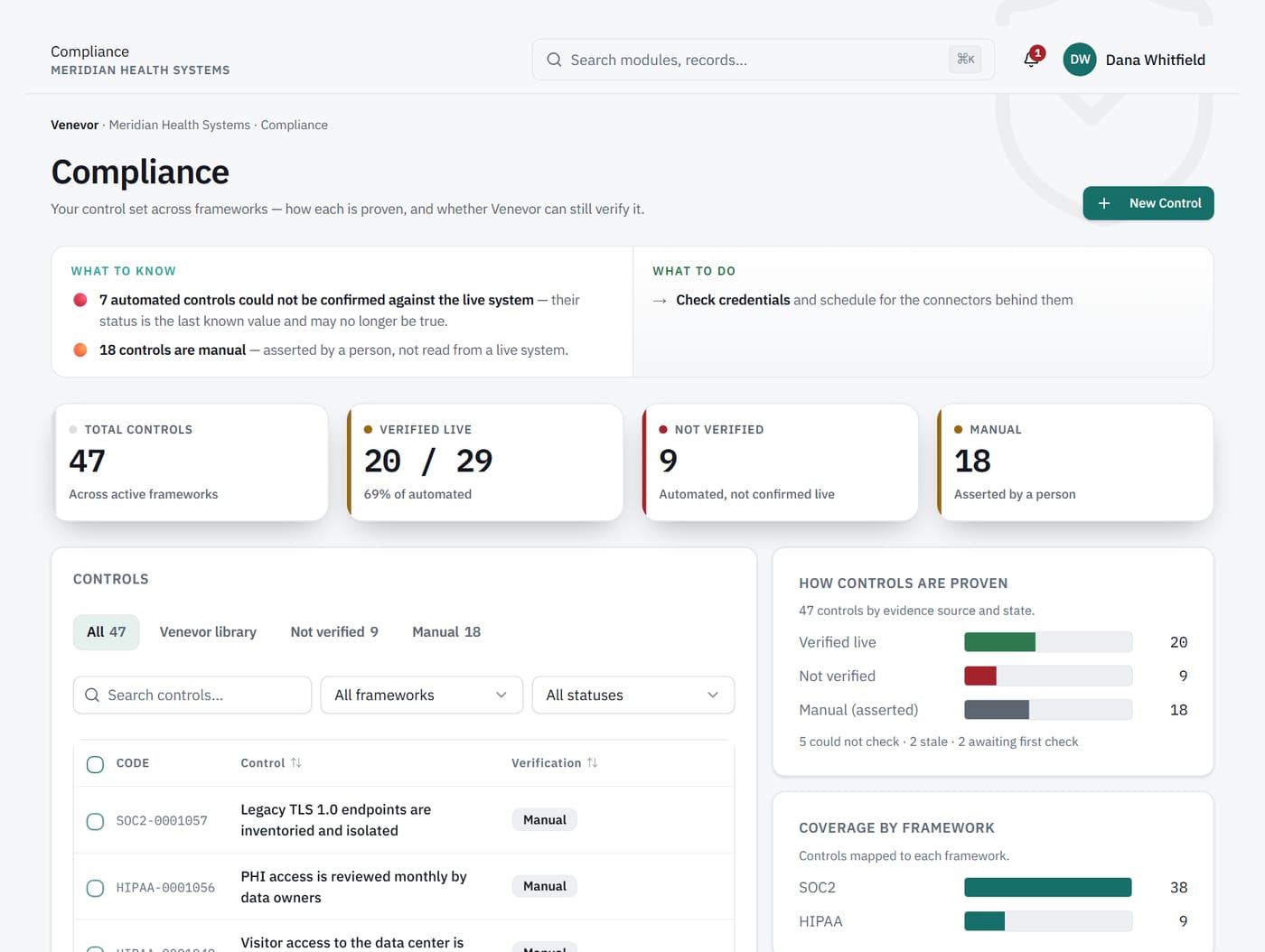
Every control is manual or automated. An automated control's status comes only from its latest check, so nobody can set it by hand.
- 5
- readiness states
- 77
- library controls
- OSCAL
- framework import
1Live status
A checkbox says compliant. The system may disagree.
Most compliance records show what someone confirmed last quarter. In Venevor, an automated control takes its status from the latest check result. When the check fails, the control shows it.
What it does
Shows each automated control as of its latest check, with the result and the time.
What it never does
Let a person set an automated control's status by hand.
2Crosswalk
One check, every framework it supports.
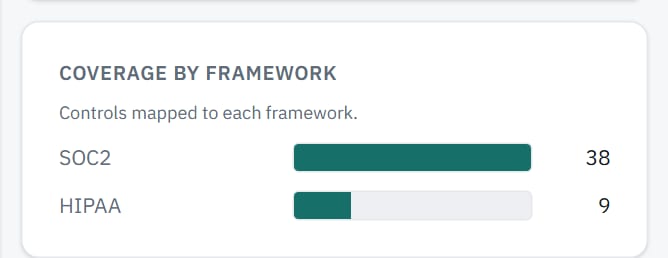
Collecting separate evidence for SOC 2, HIPAA and CMMC repeats the same work. Venevor maps one check to the matching requirements in every framework it supports. The overlap view shows where your frameworks share requirements.
3Readiness
Five states keep verified apart from asserted.
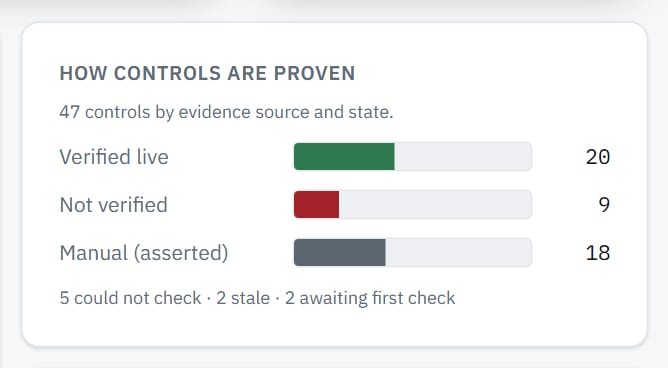
Readiness gives every requirement one state: Verified, Asserted, Exception, Gap or Unknown. Verified and asserted are counted separately. Gaps turn into remediation tasks.
What it does
Shows verified and asserted as separate totals for each framework.
What it never does
Add asserted requirements into a verified total.
Capabilities
What's included.
Manual and automated
Each control declares how it is verified, and its status follows that rule.
Venevor control library
77 versioned controls, each with a 7-digit code such as CTL-0000001.
Framework activation
Turn on the frameworks you report against and see readiness for each one.
Custom and OSCAL import
Import your own framework, or bring one in through OSCAL import.
Framework overlap
See which requirements your active frameworks have in common.
Remediation tasks
Track the work that closes each gap.
Works with
Connected to the rest of Venevor.
FAQ
Common questions.
Can someone mark an automated control compliant?
No. An automated control's status comes only from its latest check result. Nobody can set it by hand.
What happens to controls that cannot be automated?
They stay manual. A person attests them, and readiness shows them as asserted, separate from what was verified.
Can we use our own framework?
Yes. You can import a custom framework or bring one in through OSCAL import, alongside the frameworks you activate.
See your controls checked live.
Request a demo and we will walk through readiness for the frameworks you report against.